
Level 4
February 10, 2024
Question

Profile (version# 2023.2.7): Printer issues

  • February 10, 2024
  • 2 replies
  • 0 views

Hello,

Running Profile (version# 2023.2.7)


1. This issue is for year-2023. On the screen, T183 shows top-right-corner "2023" but printout shows "2022"


2. This issue is for all years. When trying to print forms (F12): T183, RC71, AuthorizeRep, get the attached error "The path is not a legal form". I do not get this error when printing other forms (not sure what forms are affected by this error).


Kindly assist.

Thanks.
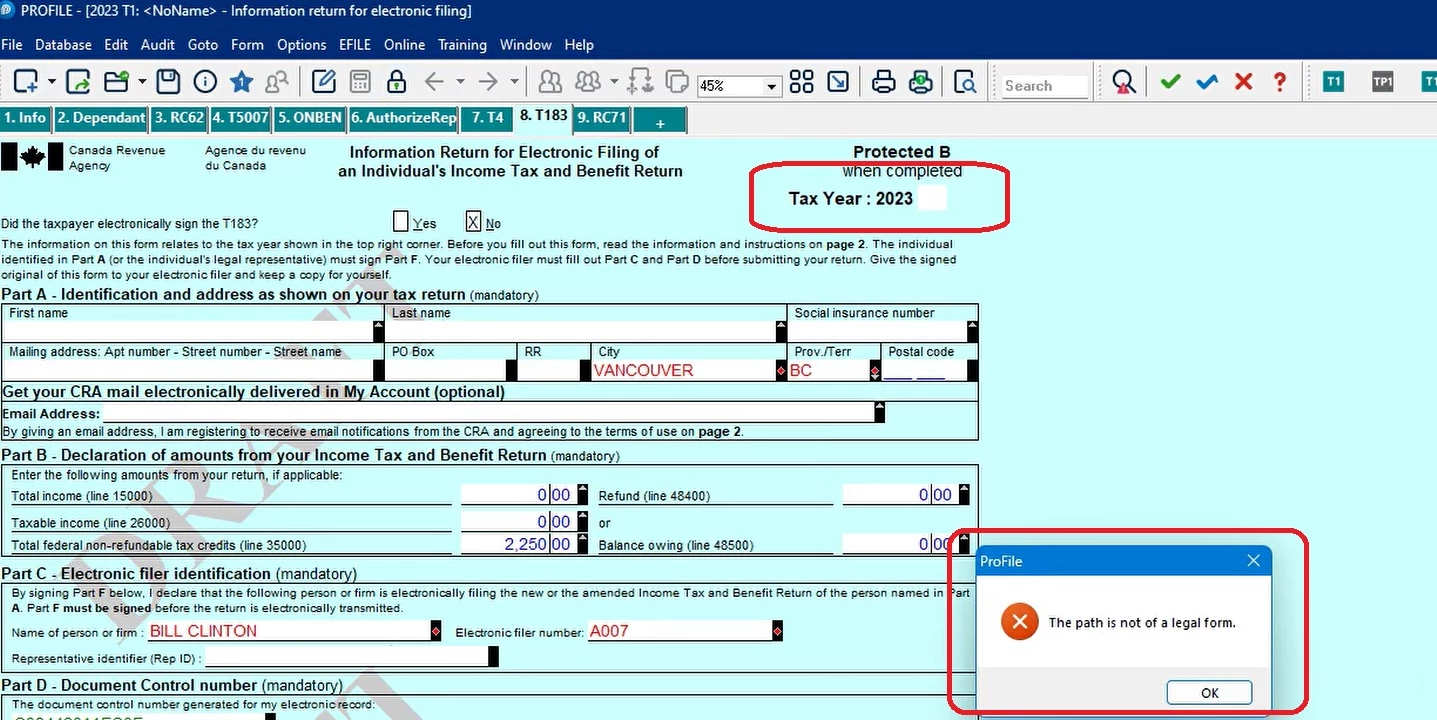
 

This topic has been closed for replies.

2 replies

Level 3
February 13, 2024

HI, I just called Intuit about this issue. They told me CRA hasn't approved the T183 for 2023 yet, so apparently you are supposed to wait until it has been approved and Profile has updated the software to show the T183 as 2023.. very inconvenient for those of us who are already seeing clients...

Level 6
February 13, 2024

i don't understand why it takes cra and profile so long to get things ready each tax season?? so frustrating!!

Level 4
February 14, 2024

Hello,

Would appreciate a response from a Profile employee on both issues.


This issue is for all years and not only 2023:

2. This issue is for all years. When trying to print forms (F12): T183, RC71, AuthorizeRep, get the attached error "The path is not a legal form". I do not get this error when printing other forms (not sure what forms are affected by this error).


Thanks.

Level 11
February 15, 2024

The 2023 issue has been resolved. Please note that the form was marked as draft. As per previous yrs, illegal path,  this iis usually caused by your settings. Please acrchive the setting to start from fresh. You can find the info on how to archive settings here...


https://help-content-sso.app.intuit.com/content/pcg/en-CA/L7fG6VObf_CA_en_CA

Level 4
February 16, 2024

Hi Mario,

- Not sure if the problem is Settings. This error started after installation of the latest Profile-T1 version


- Archive Settings link doesn't work. Its asking for "Corporate User ID"


Kindly assist.


