


54810
The following diagnostic is generating:
{StateName} : Please verify that the PTIN has not changed from prior year. After the PTIN has been verified go to Settings and click on Options. Within the Tax Return Options section, select "Yes" to the "PTIN Verification" option.
Solution:
To clear this diagnostic, after confirming PTIN information, click Settings from the dropdown menu, click Options, then select the Tax Return section. In the first section Tax Return Options, select "Yes", then click OK to make the settings change. This setting will be in place for any state PTIN verification requirement.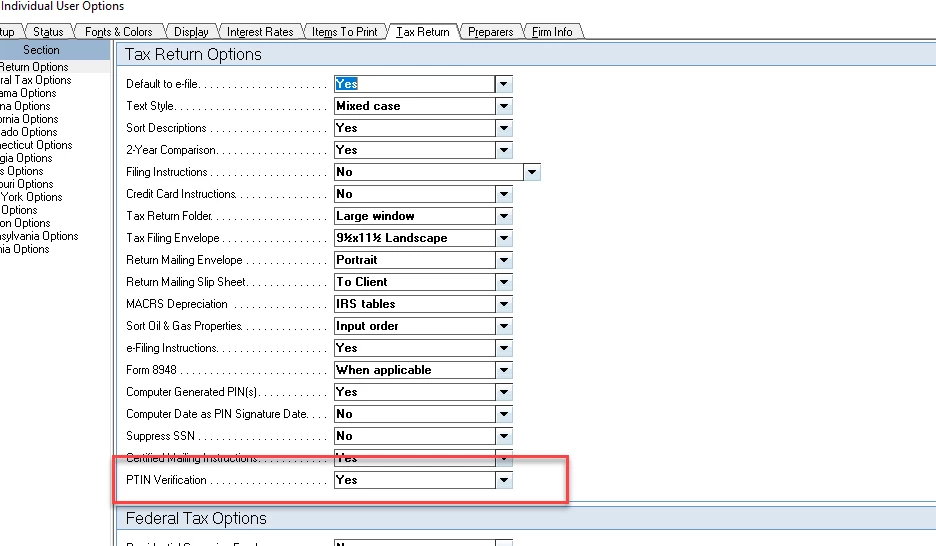
| NOTE: Please use this global setting which appears at the top of the screen. The solution provided will apply to all states asking for reverification. |





