
Level 2
February 18, 2021
Solved

proseries database is not accessible after update

  • February 18, 2021
  • 5 replies
  • 25 views
No text available
This topic has been closed for replies.
Best answer by Andrei

I am having the same problem. After update, the application is unable to open and shows "Proseries database is not accessible. Please make sure the file is accessible and restart Proseries." Not sure if this is something to do that I install it in D drive instead of regular C drive. 


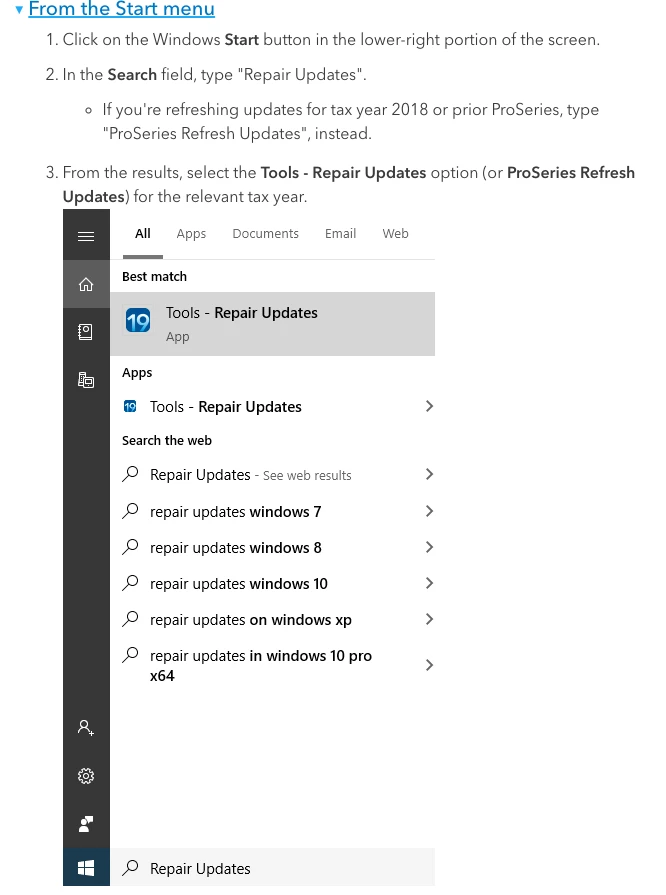
Could you trying running Refresh Updates? Let me know if you're still experiencing the issue after. 
5 replies

Level 3
February 18, 2021

Hi - sorry that's happening!

Could you provide some more info about what you're seeing? Is Homebase empty?

tarpontooAuthor
Level 2
February 19, 2021

when I try to launch proseries I get the message "Proseries data base is not accessible"

Can't even get to the login screen. This started after an automatic update.

Level 3
February 19, 2021

I am having the same problem. After update, the application is unable to open and shows "Proseries database is not accessible. Please make sure the file is accessible and restart Proseries." Not sure if this is something to do that I install it in D drive instead of regular C drive.


