
Level 3
January 12, 2021
Solved

Link Questionnaire and document requests

  • January 12, 2021
  • 11 replies
  • 73 views

Is it possible to change the order of the questions and document requests in an existing template?  Thank you!

This topic has been closed for replies.
Best answer by itonewbie

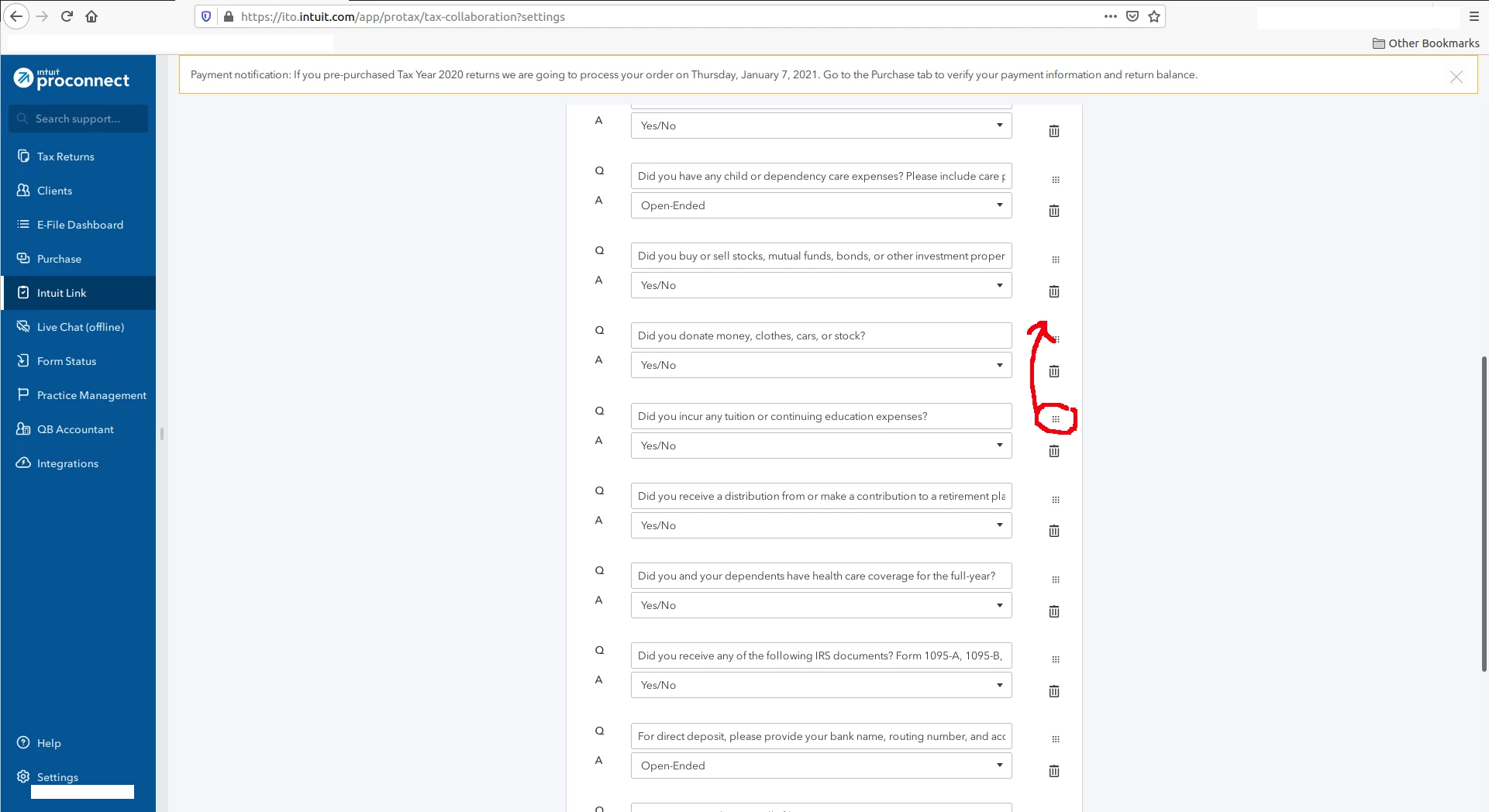
@Fenway-cpa  You can't rearrange the order because you clicked on Preview instead of Edit.  Once you press Edit, you will see a screen like the one below.  To rearrange the order, click and hold down the icon in red circle, then drag the line item to wherever you want, up or down the list.  It works the same way for both Questions and Document Checklist.
11 replies

itonewbie
Level 15
January 12, 2021

Yes.  Save a copy of the sample with a new name.  You can rearrange the order, add, delete, or edit any item as you see fit.  Just make sure you save your changes before exiting.

---------------------------------------------------------------------------------Still an AllStar
Level 3
January 12, 2021

this works, but it will not populate prior year info, true?

itonewbie
Level 15
January 12, 2021

Correct, but when I use a template I created, it will not pull prior document information. I have to manually delete all of the default questions and keep the prior year's document list. Very annoying.


Personally, I don't like the setup and I don't use it because my clients typically have more complex situations and will require the use of a proper organizer to collate the data.  Sending them a laundry list of documents to upload along with open questions will just add more work to everyone in the end.

---------------------------------------------------------------------------------Still an AllStar


