
Step 4: Join User Groups, Participate in Forums, and Follow Post
Connect with peers, ask questions, and stay informed by joining User Groups, participating in Forums, or following posts throughout the Community.
Available User Groups and Forums
User Groups
- Lacerte SDK Group
Forums
- Tax Talk
- Practice Advice
- And other product-specific forums, including Lacerte Tax, ProConnect Tax, and ProSeries Tax
Join a User Group
- Select Groups from the Community menu.
- Open the User Group you want to join.
- Click Join group.
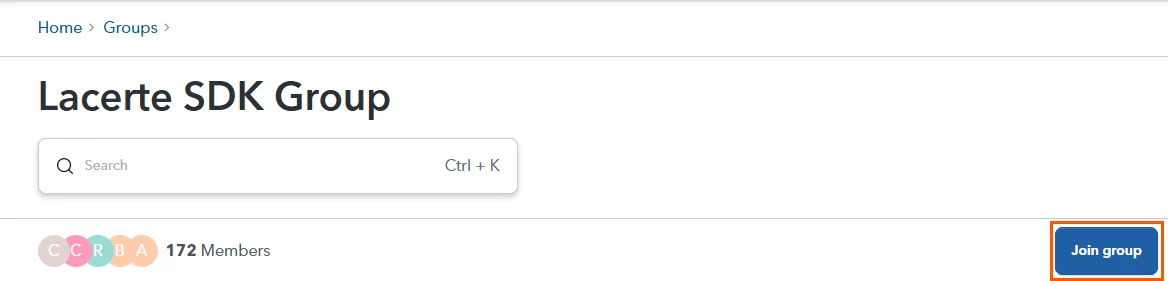
Once joined, you will see indicators such as Joined and Ask the Community, confirming your membership.
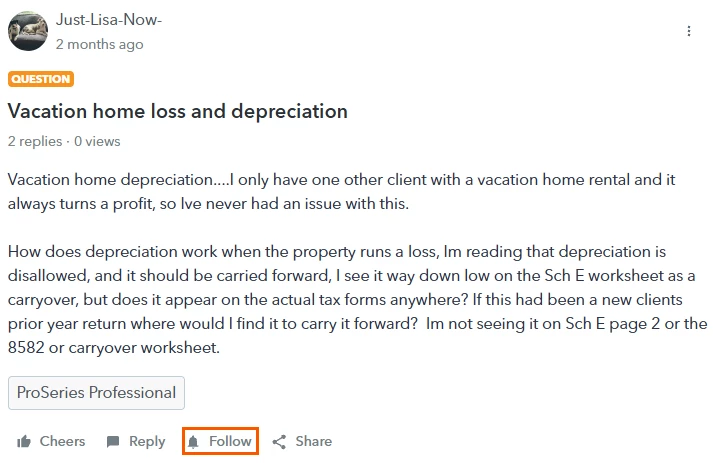
Follow a Post
- Open the post.
- Select Follow.
Notifications will appear under the Notifications (bell) icon at the top of the Community.
View and Manage Followed Posts
To view all posts you currently follow:
- Select your Profile Icon.
- Click Subscriptions.
The Subscriptions page displays all topics you are currently following in one place.
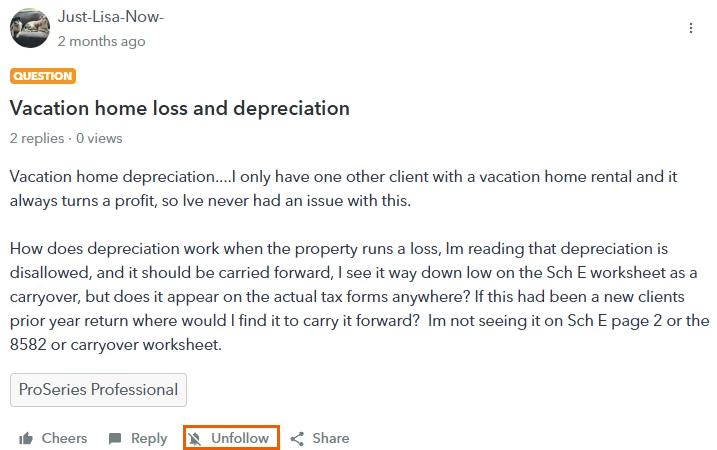
To stop receiving notifications for a topic:
- Open the topic from your Subscriptions page.
- Click Unfollow.
Manage User Group Notifications
When you join a User Group, you are automatically subscribed to group notifications.
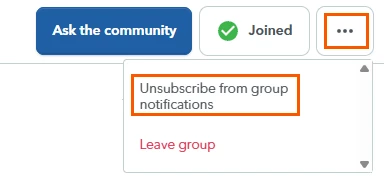
To unsubscribe from User Group notifications or leave a group:
- Open the User Group page.
- Click the three dots (⋯) next to Joined.
- Select either:
- Unsubscribe from Group Notifications, or
- Leave Group.