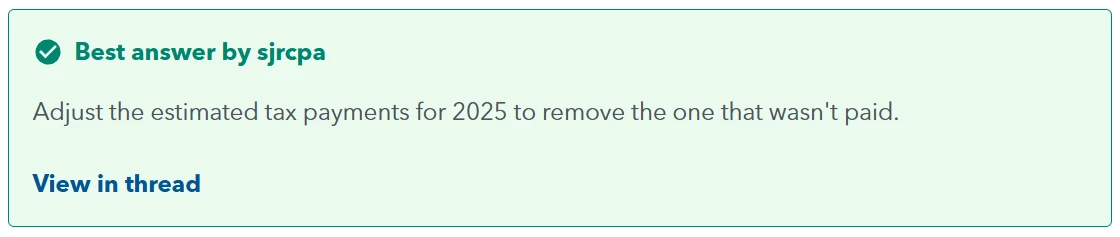

How to: Mark as Best Answer
When someone replies to your question with the information you were looking for, you can mark that reply as the Best Answer.
Mark a Reply as Best Answer
- Locate the reply that answered your question.
- Select Best answer below the reply.
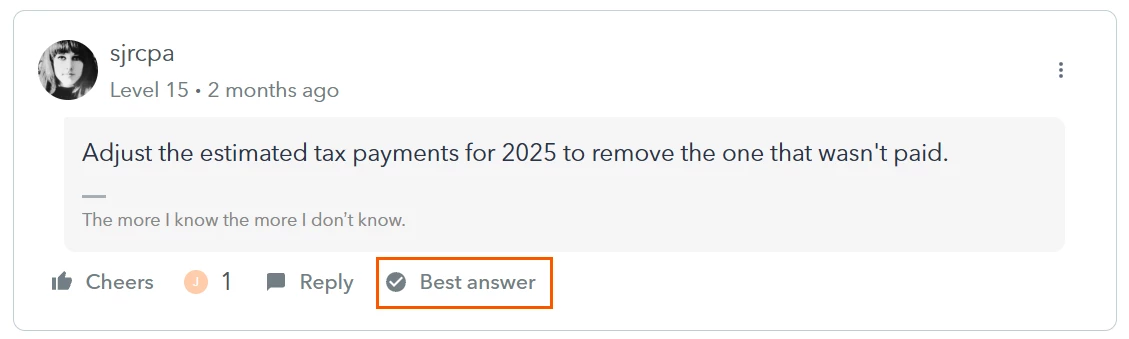
Once selected, the discussion will be marked as Solved.
What Happens Next?
Marking a Best answer helps other community members quickly identify solutions by:
- Highlighting the selected reply within the discussion.
- Adding a Solved status to the topic.
- Displaying a green checkmark in search results and forum listings.