

How to: Manage Your Community Settings & Notifications
Your community settings allow you to customize your experience and control how you stay connected with the community.
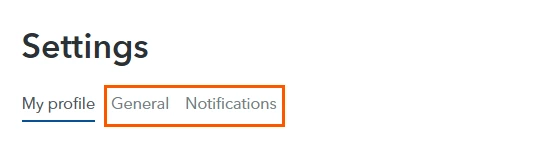
From the General tab, you can manage profile and community preferences, including badges, private messaging options, and more.
From the Notifications tab, you can choose which email notifications you'd like to receive, such as replies, subscriptions, mentions, private messages, best answers, and community announcements.
Explore the available options to configure your community experience in the way that works best for you.
Access Your Settings
- Sign in to the community.
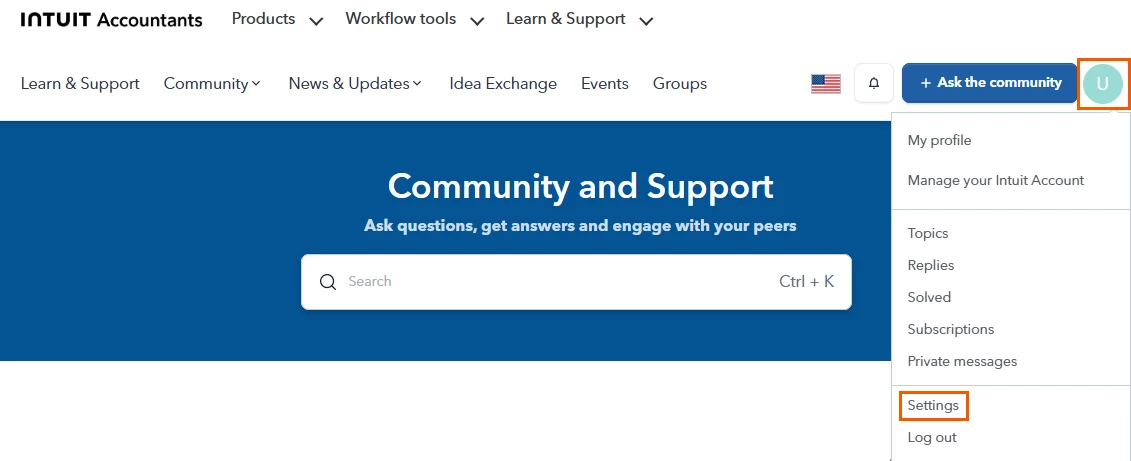
- Click your profile icon in the upper-right and select Settings from the drop-down menu.
- Choose the General or Notifications tab.
- Update your preferences and click Save Changes.
Explore the available options to configure your community experience in the way that works best for you. Happy exploring!





