Monday—Friday, 6 AM to 3 PM PT
Intuit Connect - October 28-30, ARIA Las Vegas: The premier event for all accountants to learn, connect, and get inspired.
ONLY WITH INTUIT
Intuit Tax Advisor*
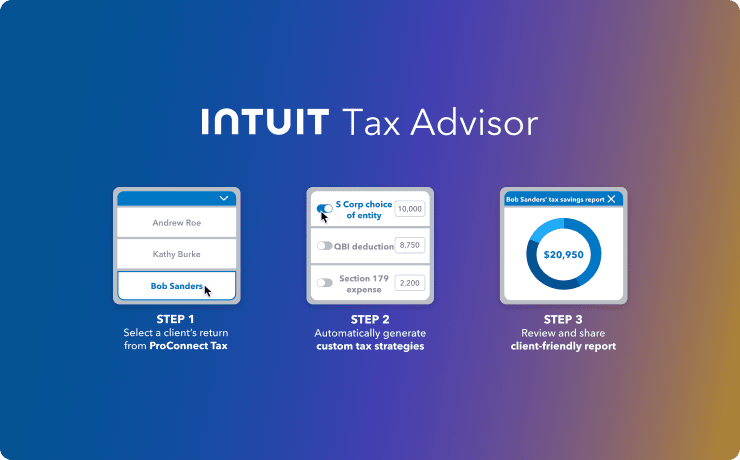
Create custom tax plans in minutes that deliver clients more savings—all thanks to built-in advisory strategies automatically generated inside every ProConnect tax return (Now fully integrated.)
- Quantify tax savings in client-friendly reports
- Leverage a whole new additional revenue stream
- Eliminate data entry & streamline scenario planning
*User Access is required.
New
SmartReturn
Import-first automation for 1040 prep. Clients upload documents—from screenshots to PDFs—and SmartReturn extracts the data, builds a checklist, and prepares the return for review. You stay in control with side-by-side source document review.

New
Review checkmarks
Use tick marks to designate key fields in client returns you want to keep an eye on during the review process. (You can generate a full report of these fields to see all changes at once.)

New
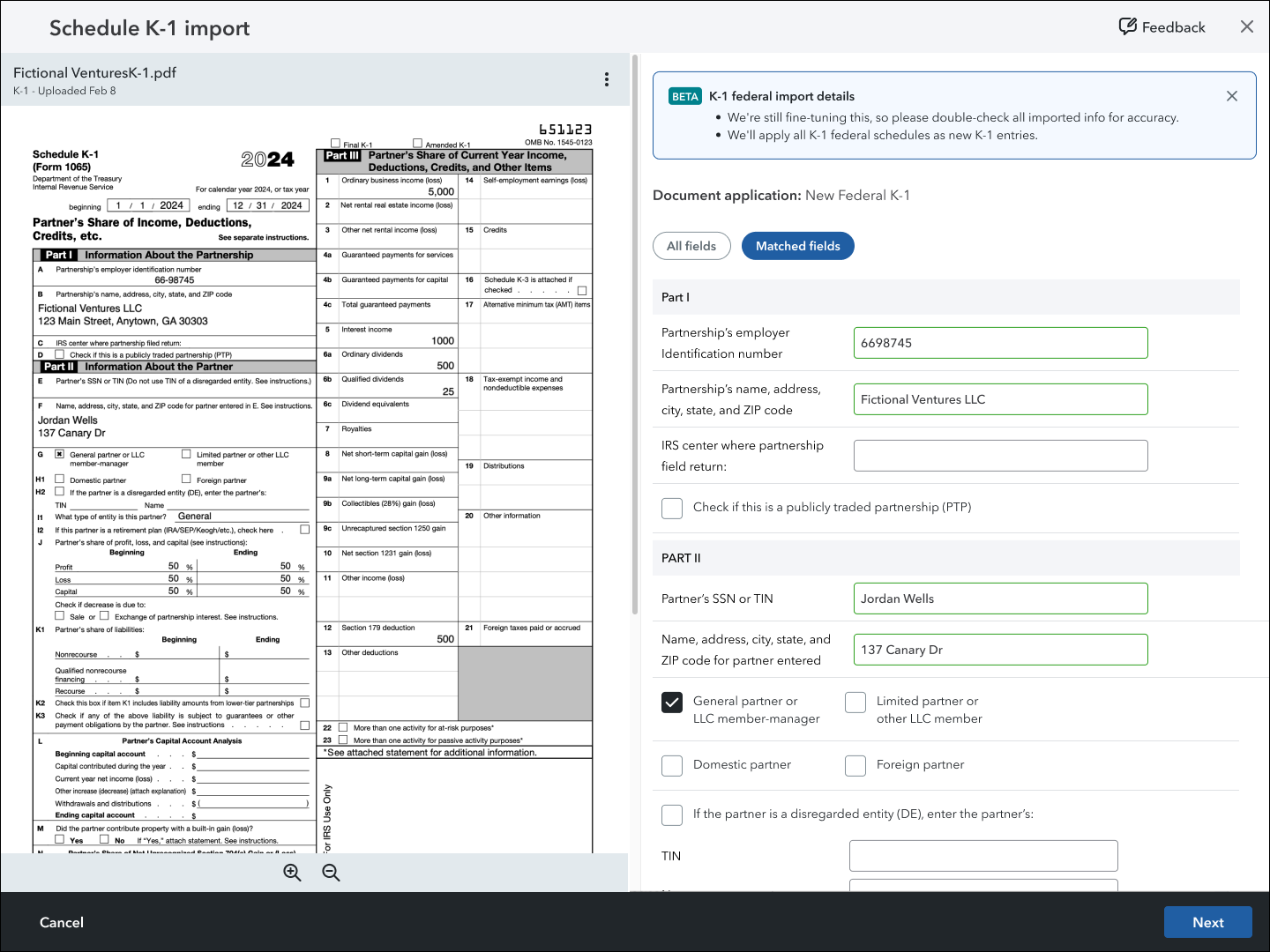
External K-1 upload
Import a client’s K-1s from other tax software into their return in Intuit ProConnect Tax.
New
SmartVault*
Share, request, and manage documents, letters, forms, proposals, signatures, and more. This client portal integration offers secure online storage with anytime, anywhere access. Learn more.

New
Import hub
Access all of your import tools from a central hub in the right panel.

New
Pay now/pay later
Offers you the flexibility to purchase tax year 2025 returns now but defer payment to December 2025 or January 2026. Strategically timed to match your peak billing cycle.

New
Click to zoom
An enhanced data import review process that allows you to zoom and navigate to each extracted field from a W-2, allowing you to review the imported data faster.

Coming soon
Ready for review*
Designed to give you a head start by automating the initial tax return preparation, which saves time and improves accuracy. You'll then be able to easily find and verify information that links the source document to the input fields and the final form, giving you complete confidence and control.

Batch e-filing
Start filing multiple returns in one seamless process that saves time and reduces errors. It’s a helpful way to handle high-volume.

Bulk apply
Import data from multiple documents all at once, rather than one source at a time.

In-return guidance
Access the help section with articles, videos, and contacts built into the right panel to guide you.

Prior year 1040 import
Apply a prior year 1040 tax return's data to create a new return (or to an existing return) and generate a tax summary comparison.


Have a product suggestion
Share your ideas with us and get updates from our product development team on status:
under review, accepted, or implemented.
Education resource center
Access articles, self-paced training, webinars, and more in one convenient location.

Free live and prerecorded webinars
Attend live and prerecorded webinars on the topics that matter most to you, at times that work best with your schedule. More than 30,000 pros signed up for webinars last year, and new sessions like tax law, ethics, and product courses are being added.

Keeping you up to date
Earn CPE/CE credits while learning how ProConnect can help optimize your firm's operations or staying up to date with tax law changes. Learn at your own pace with both live and recorded training.
View webinars >




