

Step 1: Sign in to Your Community Account
To personalize your experience and participate in Community discussions, sign in using your Intuit Account credentials.
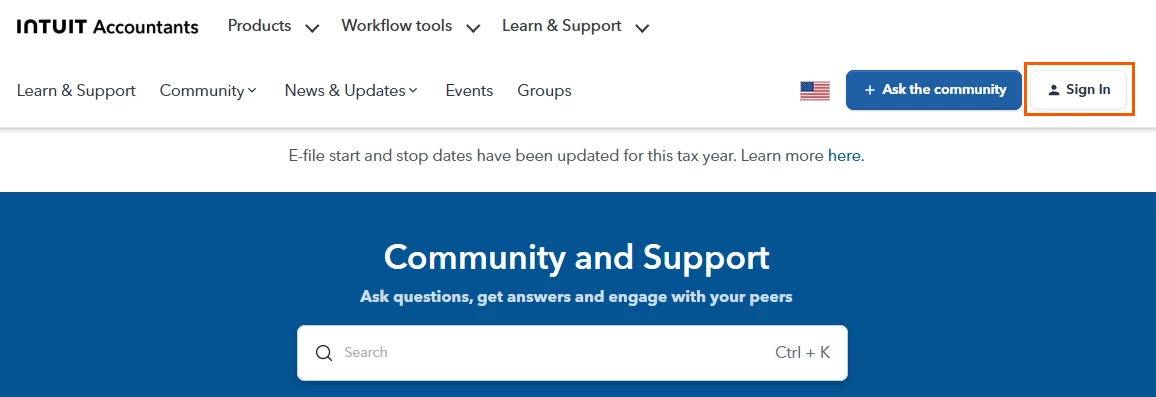
- Open Community homepage and select Sign In in the upper-right.
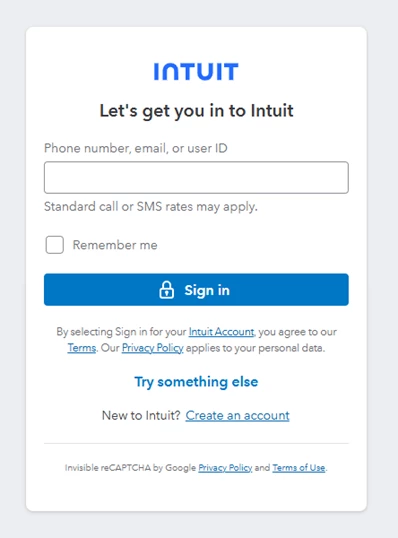
- Enter the phone number, email address, or user ID associated with your Intuit Account, then select Sign In.
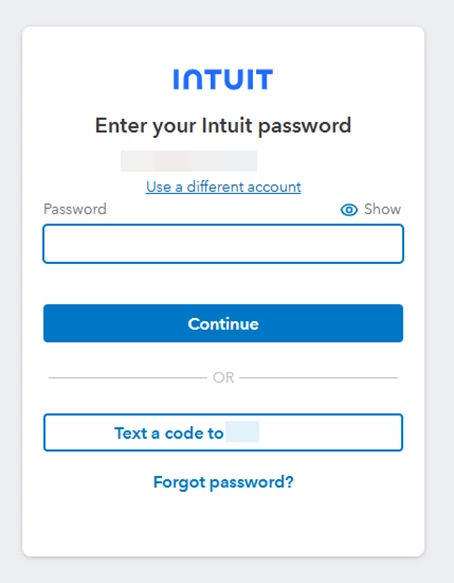
- Enter your password, or choose to receive a verification code by phone (if a phone number is associated with your account). Select Continue.
- Once your profile icon appears in the upper-right corner, you're signed in and ready to participate in the Community.
Here's articles on:
Resolving sign in problems when signing into your tax product
Resolving sign in problems when signing into My Account


