Level 2
September 29, 2022
Solved

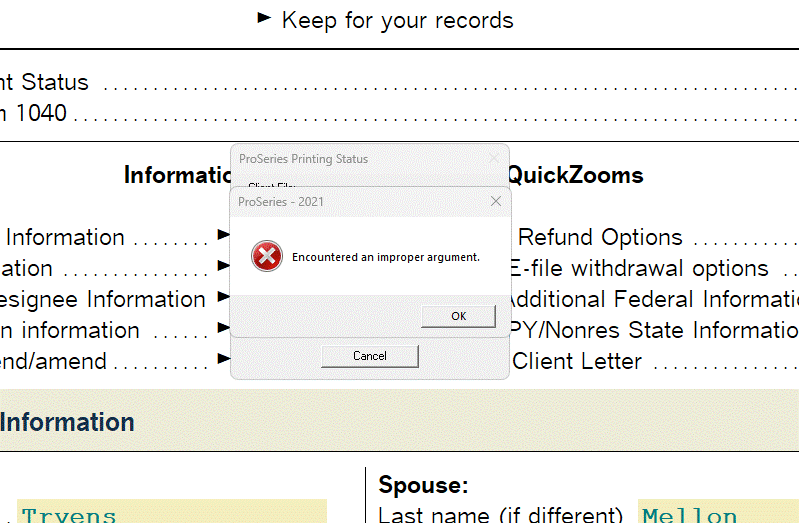
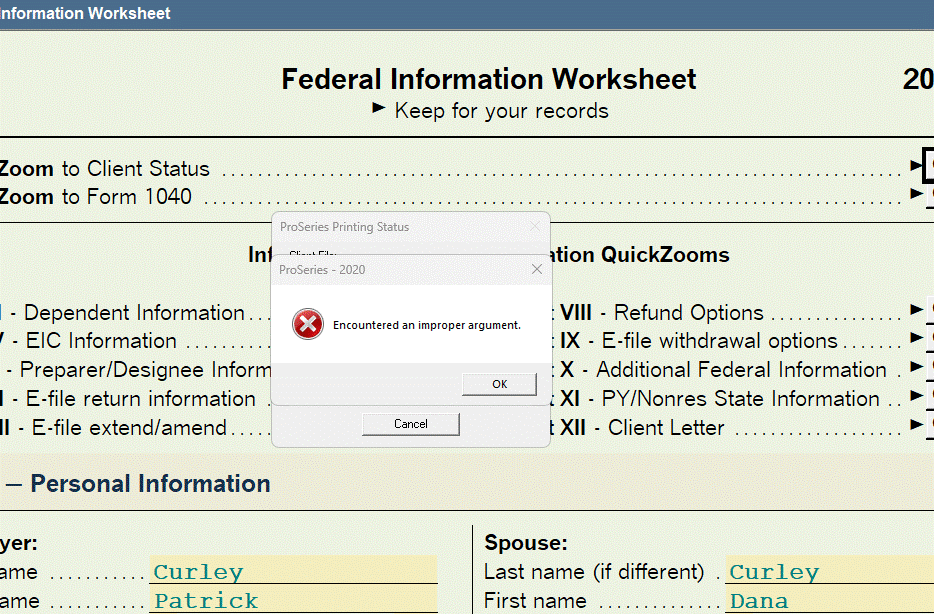
ProSeries Error Message - "Encountered an improper argument'

  • September 29, 2022
  • 56 replies
  • 295 views

Good evening,

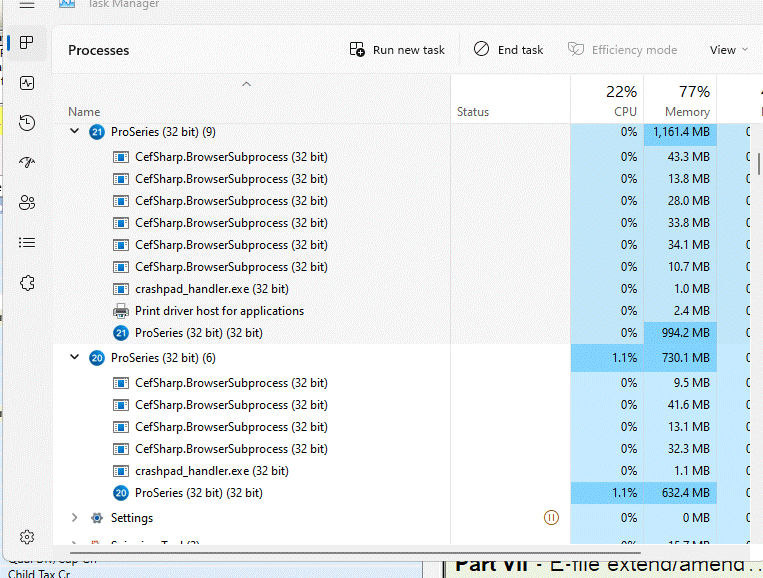
A few days ago I started receiving the error message "Encountered an improper argument' when working in ProSeries 2021 and ProSeries 2020. When this error message is displayed the software will not complete the task (i.e., efile, print, etc.) and the client file will not be properly saved. I am required to execute the 'Tools - Repair Updates' software and the homebase maintenance function to restore client file and restore functionality. Attached are a few images for reference. I did upgrade to windows 11, version 22h2 a few weeks ago. Any thoughts or guidance addressing this problem would be appreciated.
This topic has been closed for replies.
Best answer by LEVA4657

I was successfully able to print multiple client PDFs in 2021, 2020 and then I also ran several PDF prints simultaneously on a workstation to further stress test the update.

On my fully updated computer I have not experienced the error message since the last Microsoft update was installed.

I can't speak for others who have experienced this error problem, but for my office's configuration it does seem to be fixed.


You are correct! The most recent update to Windows 11 has resolved my issue with printing the 2021 return(s) prepared in 2022. The updated fix to Windows 11 took a bit to install (stand alone), but the issue is no longer present. Thanks to all that had input on this issue!

56 replies

Level 5
December 1, 2022

Can anyone on this thread confirm their issues have been fixed with the Microsoft Patch? I would appreciate the confirmation.

Level 4
December 1, 2022

I have been holding off on updates on all of our computer in anticipation of the answer to this question.

Level 2
June 21, 2023

Brian,

The latest update to Windows 11 2023-06 Cumulative Update Version 22H2 for x64, is causing pre 2022 versions of ProSeries to 'freeze' when attempting to print a return, or to save on exit - it just sits 'not responding' and requires a forced closing of the software.  ProSeries Version 2022 is working as it is supposed to.

I'm replying to the 22H2 update string since this seems to likely be a similar issue with the 2023-06 update.

For reference, the issue doesn't exit prior to the 2023-06 update and uninstalling the 2023-06 update did NOT restore functionality.  When I did the 'early' release 2023-06 update it caused this issue and uninstalling that update DID restore functionality.

Thank you.


I tried it on 2020 and 2021 and it has once again started crashing everytime you save.  Which makes each of those year unusable.

Level 5
December 7, 2022

Thank you for the confirmations. If in fact you did install this update and your issue was not fixed, I would say this wasn't your issue. The error in this thread specifically is about receiving an error during save "Encountered an improper argument" in Windows 11 with a specific Windows 11 update. 

Brian

Level 5
December 14, 2022

Revert back to Windows 10