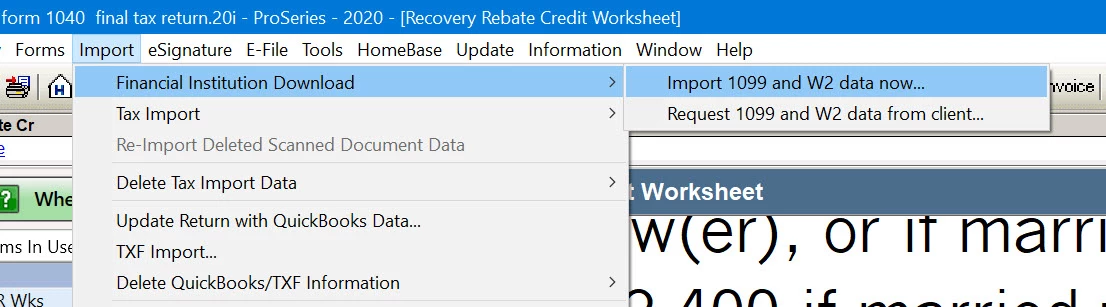
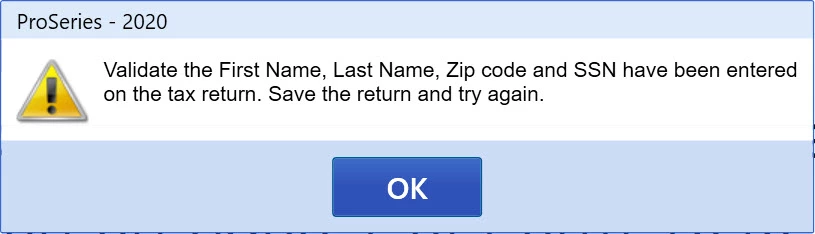
I screened shared with Intuit Agent Vanessa and she was unable to assist. She claims it is a known issue by their engineers. I told her if Intuit can't fix it within a week I will request a refund on the product.
FIDO is our slang for Financial Institution Download.
What do you see if you choose Help -> Options Setup Wizard, and you select the Preparer like below? There's no fields marked in red? There's a preparer name, preparer code & firm association?
Intuit finally released a software update and although it made 2 steps forward it made one step backwards. I was finally able to access the 1099-B for TdAmeritrade, Robinhood, Tastyworks. First problem Proseries directs you to enter the url of the financial institution which is wrong. www.Tastyworks.com does not work but tastyworks does work. Next when you enter in the required document/ssn/account the connection between Intuit and the financial institution is not working. I receive error message that no tax data is available. If you are a Intuit employee please review Case:560254141.
I was informed that thousands of users are unable to use this feature while Intuit takes their sweet time repairing basic import functions that should have been tested and working before 1/1/2021. Today is 2/27/2021 and unbelievable that they charge hundreds of dollars for non-working tax software.
It was not anything I had entered as Intuit updated the program and I no longer getting the Validate Error, but alas the Financial Institution 1099 import is still not working for brokerages. See my latest update of 3/1/2021.