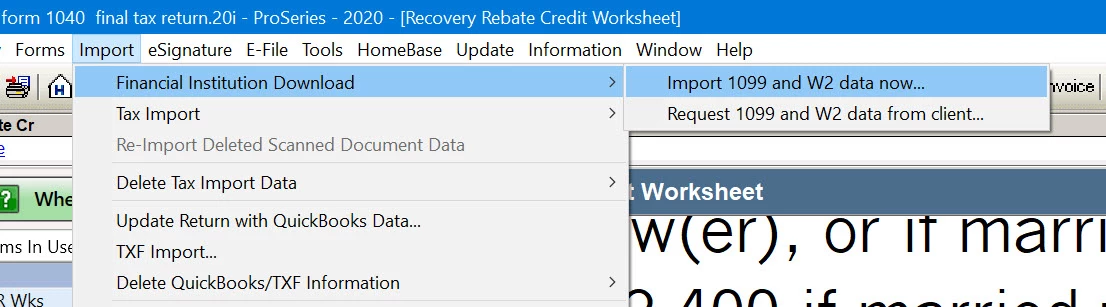
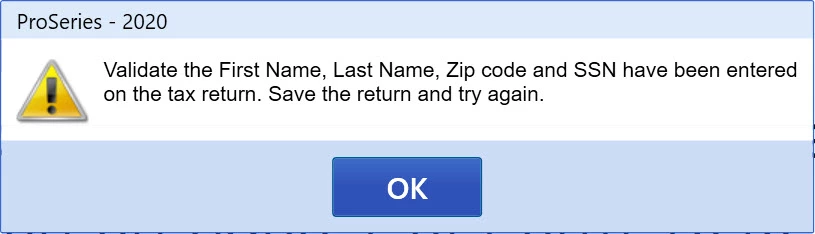
I screened shared with Intuit Agent Vanessa and she was unable to assist. She claims it is a known issue by their engineers. I told her if Intuit can't fix it within a week I will request a refund on the product.
Preparer name is filled and I don't understand your comment on the file being locked. I can enter information in any of the numerous worksheets and schedules and save the file so I assume this means the file is not locked. How would one find out if the file is locked?
If you can enter those fields and save it's not locked.
As an experiment, can you create a new 1040 client and enter the following:
SSN with nine digits
Zip Code, Last Name, FirstName
E-mail address
Then Choose Import - > Financial Institution Download -> Request 1099 and W2 Data from client...
Do you get the same error code or the FIDO request wizard?
It was not anything I had entered as Intuit updated the program and I no longer getting the Validate Error, but alas the Financial Institution 1099 import is still not working for brokerages. See my latest update of 3/1/2021.