
Level 3
February 18, 2022
Question

Saving PDF location for each tax return

  • February 18, 2022
  • 2 replies
  • 22 views

Is anyone else having an issue when trying to save a PDF file to a different location?


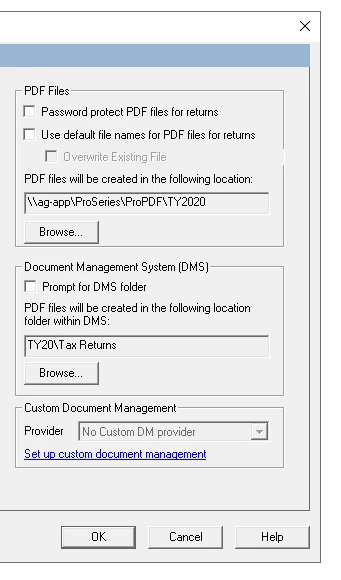
This is the settings from ProSeries 2020. When I am saving to file, it prompts me to choose the file location it wants me to save the tax return to.
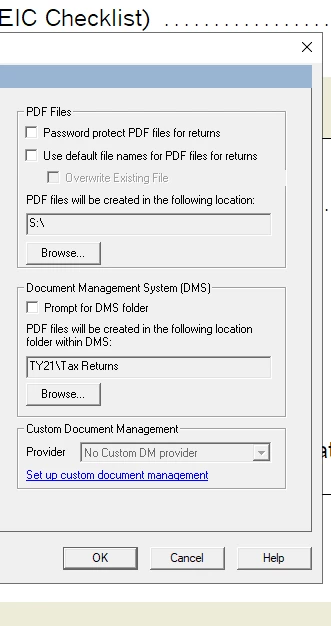
 This is the settings from ProSeries 2021.
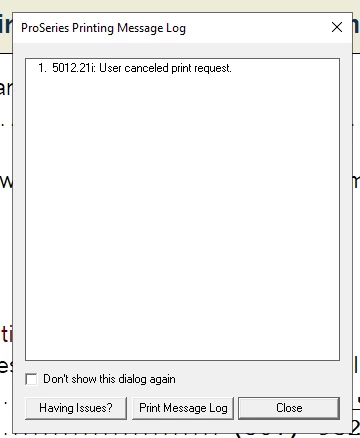
 When I press print, within 5 seconds in ProSeries 2021, it says this, when saving to file is only selected.
 

This topic has been closed for replies.

2 replies

dascpa
Level 11
February 18, 2022

Nope.  No issues for any years.  Maybe refresh your updates?

Level 3
February 18, 2022

No luck.

Just-Lisa-Now-
Intuit Community Champion
February 18, 2022

So you cant change it in the Global Print Options and have it saved for all clients? 

Do you have an S: drive?

♪♫•*¨*•.¸¸♥Lisa♥¸¸.•*¨*•♫♪
Level 3
February 18, 2022

No I can change it in Global print options saves for all clients.

I have an S drive and if I deselect "Use default file names for PDF files for returns" and attempt to print it says user canceled print job. If I leave it checked, it automatically saves to that S drive location. This is just the default path for my returns, but I save each tax return to a client specific file inside of the S drive.

I am looking for it to prompt me for the file name, which I change to like "2021 tax return" and save it in a specific folder inside the S drive.


