Welcome back! Ask questions, get answers, and join our large community of tax professionals.
- Topics
- Training
- Community
- Product Help
- Industry Discussions
- User Groups
- Discover
- Resources
Turn on suggestions
Auto-suggest helps you quickly narrow down your search results by suggesting possible matches as you type.
Showing results for
- Intuit Accountants Community
- :
- ProSeries Tax
- :
- ProSeries Tax Discussions
- :
- actual forms, i.e. 1040, sch.C...not printing out
actual forms, i.e. 1040, sch.C...not printing out
Options
- Mark Topic as New
- Mark Topic as Read
- Float this Topic for Current User
- Bookmark
- Subscribe
- Printer Friendly Page

gennarostella
Level 3
01-28-2021
08:14 AM
- Mark as New
- Bookmark
- Subscribe
- Permalink
- Report Inappropriate Content
after input of client info for their 1040....i printed the return, only to see just an "outline" of the forms and not the actual form! the amounts and name etc are there only
is anyone else seeing this?
Labels
 This discussion has been locked.
No new contributions can be made. You may start a new discussion
here
This discussion has been locked.
No new contributions can be made. You may start a new discussion
here
26 Comments 26

IRonMaN
Level 15
01-28-2021
08:43 AM
- Mark as New
- Bookmark
- Subscribe
- Permalink
- Report Inappropriate Content
Do you get the same gibberish or the actual form if you print to a pdf?
Slava Ukraini!

Orlando
Intuit Alumni
01-28-2021
09:32 AM
- Mark as New
- Bookmark
- Subscribe
- Permalink
- Report Inappropriate Content
Sounds like an issue with the printer driver. A good way to tell is if you see the same behavior when printing to PDF.
IRonMaN
Level 15
01-28-2021
09:43 AM
- Mark as New
- Bookmark
- Subscribe
- Permalink
- Report Inappropriate Content
@Orlando - Along a similar line, I can print federal and state individual returns just fine, and I can print federal business returns without any issue. However when I print Minnesota business returns (MN "1120S" and MN "1065" returns) the taxpayer information prints fine, but the line descriptions come out printing "c", "e" and "h" splattered across the the page. They have been printing without any issue to pdfs.
Slava Ukraini!
Orlando
Intuit Alumni
01-28-2021
10:35 AM
- Mark as New
- Bookmark
- Subscribe
- Permalink
- Report Inappropriate Content
Thanks for the report... we're investigating.
As way of background, we use different third party technologies between print to pdf and direct print. We had to upgrade the direct print technology and had run into issues like this early in our development season that I thought had all been addressed with an update. Sounds like it might not have been... if so it might take a few weeks since we'll have to work with the vendor again. Hopefully sticking with print to pdf is tolerable.
IRonMaN
Level 15
01-28-2021
10:43 AM
- Mark as New
- Bookmark
- Subscribe
- Permalink
- Report Inappropriate Content
Thanks for the info. Printing to pdf isn't the end of the world as long as we know somewhere down the road it will get fixed.
Slava Ukraini!

Fabian
Level 4
01-28-2021
10:50 AM
- Mark as New
- Bookmark
- Subscribe
- Permalink
- Report Inappropriate Content
1. Can you explain exactly what form (and what page of that form) exhibits this behavior?
2. Have you updated ProSeries recently? There was a problem with some MN forms (like M4NP) earlier this season but now it's been fixed
3. You can post a screenshot here (you click the camera button above) so I can tell if it's the same problem I was seeing earlier
Orlando
Intuit Alumni
01-28-2021
06:23 PM
- Mark as New
- Bookmark
- Subscribe
- Permalink
- Report Inappropriate Content
Good to know. 'Fabian' below is one of our engineers.. he wasn't able to reproduce. When you get a chance could you help him out with details? If he can reproduce, he will fix for sure.
IRonMaN
Level 15
01-28-2021
07:07 PM
- Mark as New
- Bookmark
- Subscribe
- Permalink
- Report Inappropriate Content
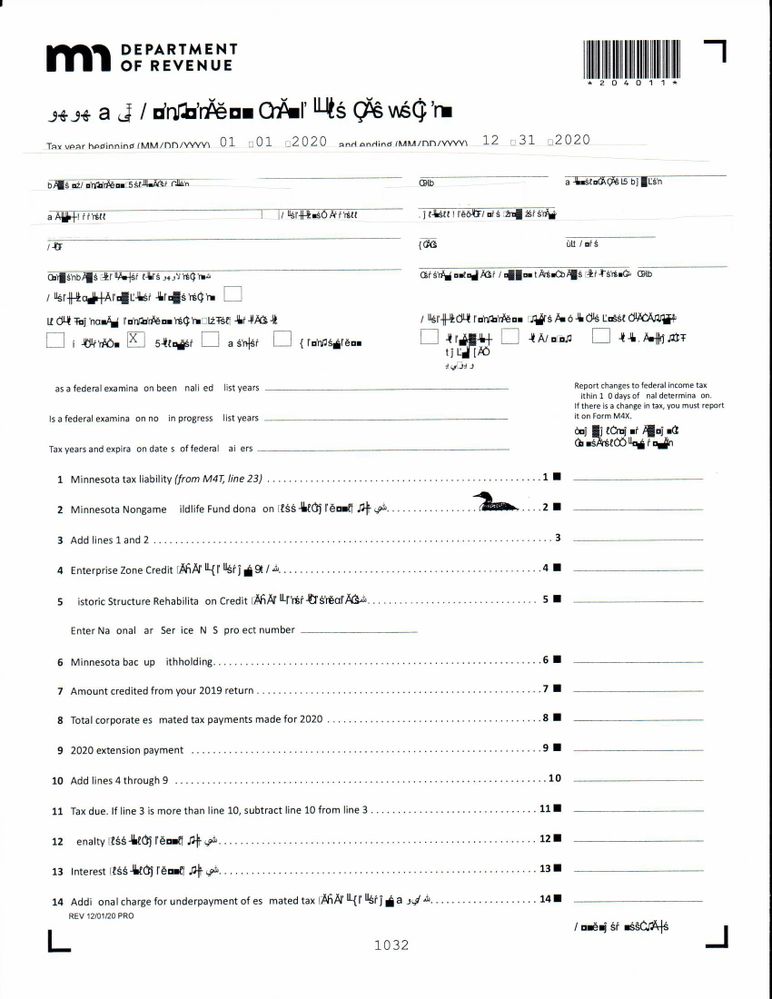
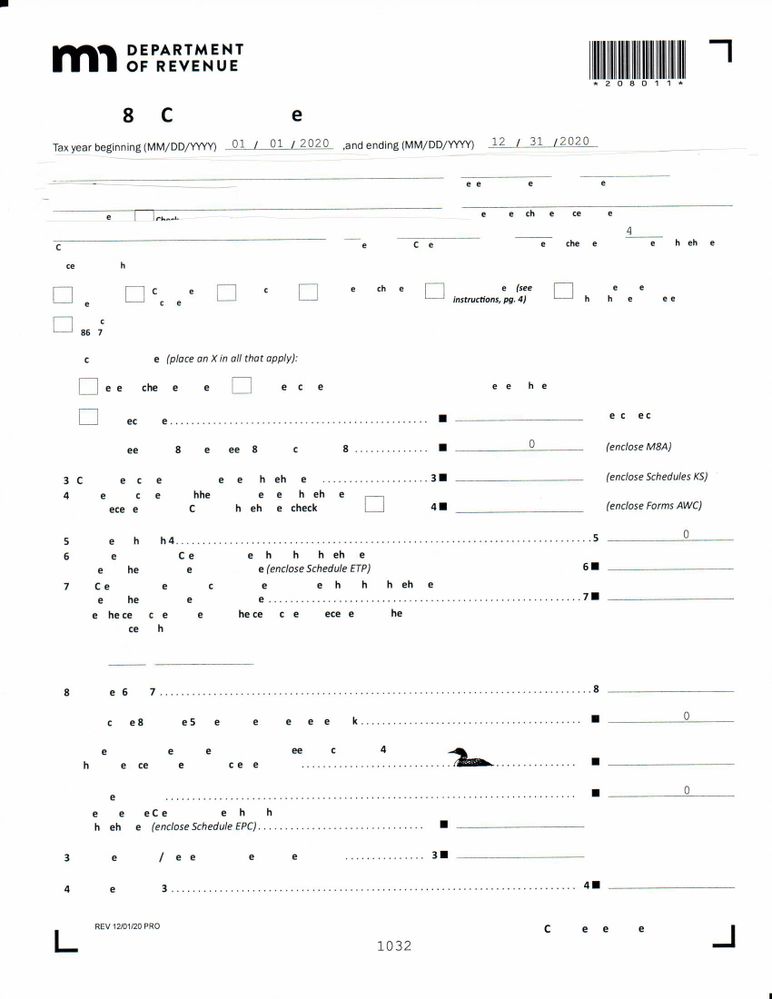

 garman22
Level 13
01-28-2021
07:11 PM
- Mark as New
- Bookmark
- Subscribe
- Permalink
- Report Inappropriate Content
what the actual eff?
IRonMaN
Level 15
01-28-2021
07:19 PM
- Mark as New
- Bookmark
- Subscribe
- Permalink
- Report Inappropriate Content
There is part of me that just wanted to give those to my clients just to see how long it took before someone would notice ------------------- if anyone would notice. 😀
Slava Ukraini!
Fabian
Level 4
01-30-2021
06:52 PM
- Mark as New
- Bookmark
- Subscribe
- Permalink
- Report Inappropriate Content
That's exactly what I used to see in those forms before the issue was fixed.
You said you have updated ProSeries but let's make sure you really have the latest updates.
If you look at these files in Windows explorer:
C:\ProWin20\32bit\fsdk.dll
C:\ProWin20\32bit\fsdk_dotnet.dll
these files should have a "Date Modified" of 1/28/2021
Also look at:
C:\ProWin20\32bit\PDFPrinting.dll
this file should have a "Date Modified" of 12/15/2020
Do your files have these dates?
If YES, tell me what printer are you using (make and model) and I'll keep digging.
IRonMaN
Level 15
01-30-2021
06:55 PM
- Mark as New
- Bookmark
- Subscribe
- Permalink
- Report Inappropriate Content
@Fabian - I’m not in the office but I will check on that tomorrow. Thanks for following up!
Slava Ukraini!
Fabian
Level 4
01-30-2021
07:20 PM
- Mark as New
- Bookmark
- Subscribe
- Permalink
- Report Inappropriate Content
Sorry, when I wrote
If you look at these files in Windows explorer:
C:\ProWin20\32bit\fsdk.dll
C:\ProWin20\32bit\fsdk_dotnet.dll
these files should have a "Date Modified" of 1/28/2021
what I meant was:
If you look at these files in Windows explorer:
C:\ProWin20\32bit\fsdk.dll
C:\ProWin20\32bit\fsdk_dotnet.dll
these files should have a "Date Modified" of 1/21/2021
so it's 1/21 not 1/28. Fat finger
IRonMaN
Level 15
01-30-2021
07:22 PM
- Mark as New
- Bookmark
- Subscribe
- Permalink
- Report Inappropriate Content
I’ll check.
Slava Ukraini!
IRonMaN
Level 15
01-31-2021
11:24 AM
- Mark as New
- Bookmark
- Subscribe
- Permalink
- Report Inappropriate Content
@Fabian I printed off this page so I had the file information handy. Since the page printed a little screwy I first compared my files to your fat finger post and since I had the 1/21 date instead of the 1/28 date, I ran the "repair updates" option for the program. The fsdk file dates do agree with mine. My pdf files actually have a 1/4/21 date on them. I tried printing forms for the same two clients. They look different from the copies I provided the other day - the M4 fonts look ok, but letters are missing and the M8 looks closer to what the M4 did last time. I have included scans of the pages.
For the record, I am using a HP Laserjet Pro MFP M521dn printer.
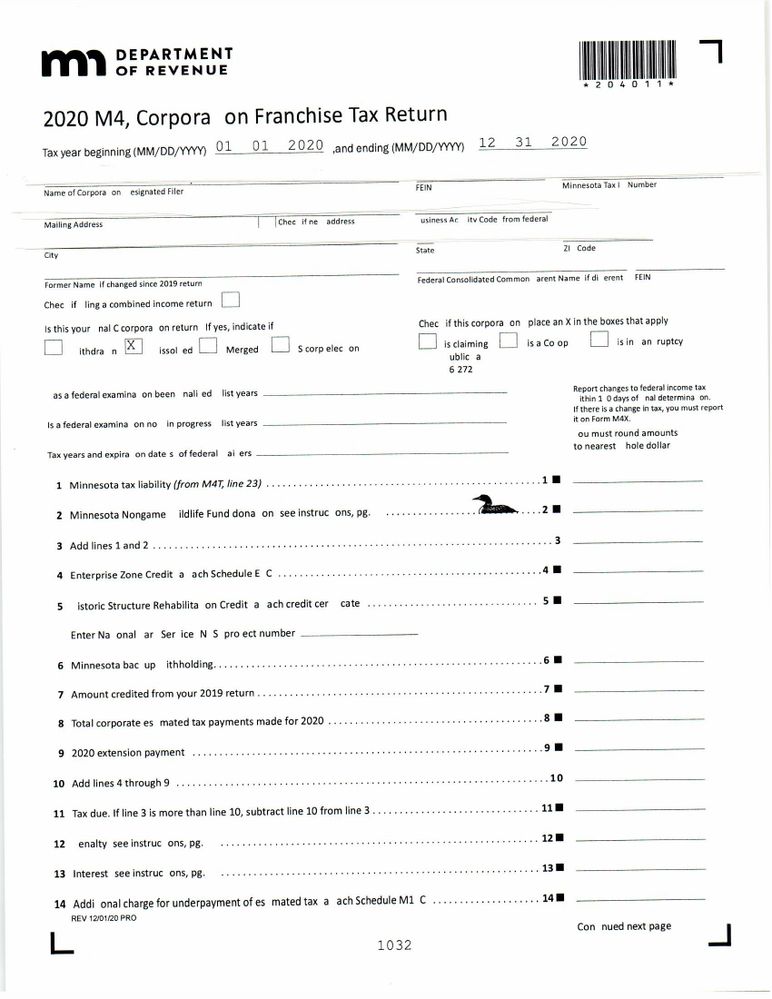
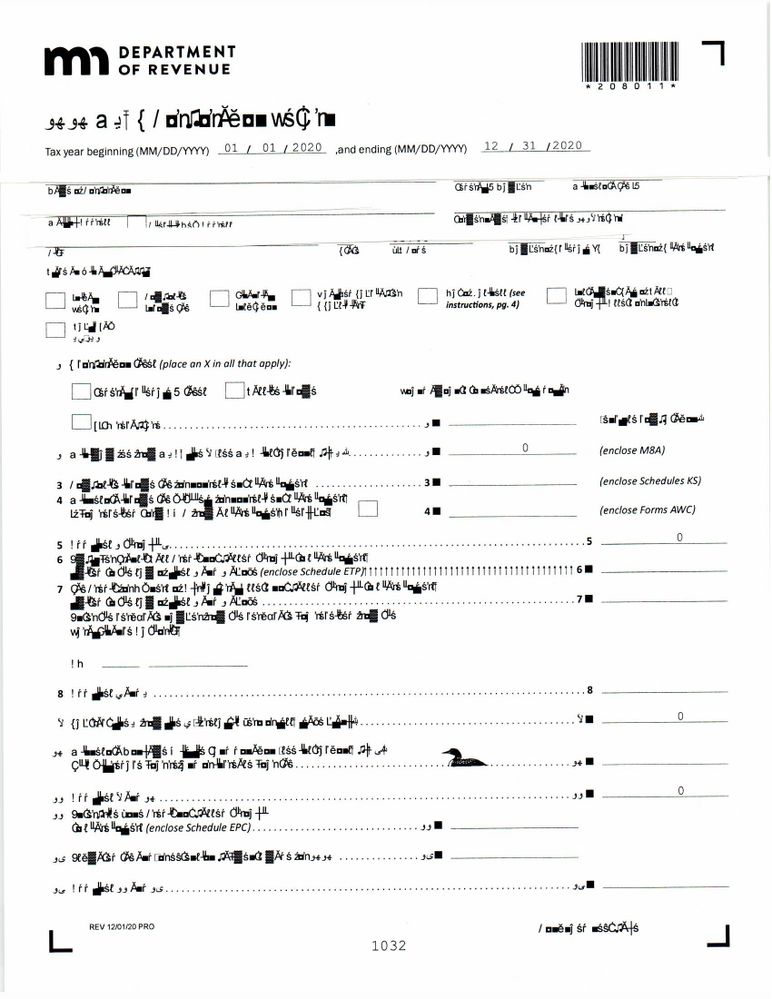
Slava Ukraini!

gabletax
Level 5
01-31-2021
05:59 PM
- Mark as New
- Bookmark
- Subscribe
- Permalink
- Report Inappropriate Content
At least the loon prints OK. I'm assuming MN returns are actually supposed to have a loon on them.
IRonMaN
Level 15
01-31-2021
08:44 PM
- Mark as New
- Bookmark
- Subscribe
- Permalink
- Report Inappropriate Content
Yeah - but the way the rest of the form is printing, I’m surprised a platypus didn’t show up instead.
Slava Ukraini!
Orlando
Intuit Alumni
02-08-2021
06:50 PM
- Mark as New
- Bookmark
- Subscribe
- Permalink
- Report Inappropriate Content
It'd be interesting to see if you get better results with Global Print Options / General / Print As Image. Theoretically that is not as performant, but in reality i'm not sure if you'll notice. Do you mind trying and reporting back?
Currently we're working with the vendor we rely on to try to reproduce in a fashion that will lead to resolution. Unfortunately.. it takes time. I'm sorry to say I'm not optimistic on resolution within the next few months.
IRonMaN
Level 15
02-08-2021
07:13 PM
- Mark as New
- Bookmark
- Subscribe
- Permalink
- Report Inappropriate Content
@Orlando - thanks for the info. It did print out correct going that route. However, the print time is painfully long. I printed the first return in full and it took forever to go through the print process. I then tried just the single page of the second return type and that printed fine. Then to see if it was just my warped imagination, I tried printing out the second return in full just to see how long it actually took and it crashed my system. I'll just plan on going the pdf route for the rest of tax season. Thanks again for the info.
Slava Ukraini!
Fabian
Level 4
02-10-2021
10:13 PM
- Mark as New
- Bookmark
- Subscribe
- Permalink
- Report Inappropriate Content
@gennarostella, will you let us know if checking the box under menu File->Print Options->General Printing->Advanced Options->Print as Image solves your problem?
IRonMaN
Level 15
02-11-2021
08:46 AM
- Mark as New
- Bookmark
- Subscribe
- Permalink
- Report Inappropriate Content
And here I was feeling special. Welcome to the club. 😀
Slava Ukraini!
gennarostella
Level 3
02-25-2021
11:54 AM
- Mark as New
- Bookmark
- Subscribe
- Permalink
- Report Inappropriate Content
sorry for my tardy reply....after all was said and done it turned out that my printer driver needed to be updated! live and learn....
hope your day is going well......
Thank you!!




