 Intuit HelpIntuit
Client Snapshot in Lacerte
by Intuit•17• Updated 1 month ago
What is Client Snapshot?
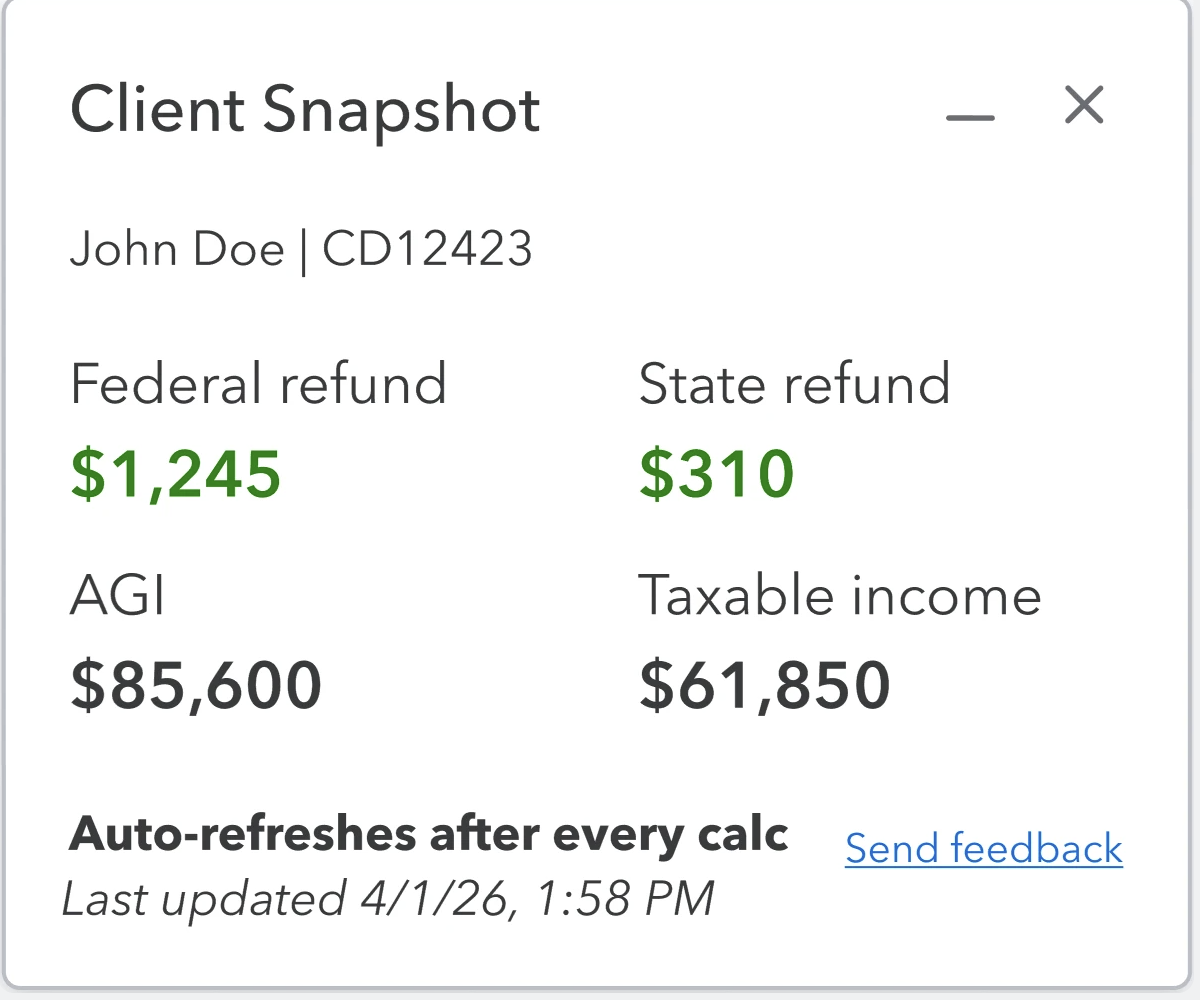
Client Snapshot is a feature in Lacerte that allows you to see key figures without having to leave your workflow, or even your current screen. This will give a way of monitoring your "Big Four" tax figures.
This feature is currently only available in the Individual (1040) module.
How do I enable it?
- While inside a client's return, on the menubar along the top of the program, go to Tools.
- From there, scroll down to and hover over Client Snapshot.
- Within the submenu, select Show Client Snapshot.
- You may also disable Client Snapshot from this submenu by selecting Hide Client Snapshot.
- Once enabled, you should see a floating panel with the following info:
- Client name & ID
- Federal refund/Balance due
- State refund/Balance due
- AGI
- Taxable income
- If needed, you customize the position and size of your Client Snapshot by:
- Minimize the Client Snapshot.
- Maximizing the Client Snapshot.
- Moving the Client Snapshot to anywhere on the screen.
- Whenever the system recalculates, the client snapshot will be automatically updated.
- Since this recalculates the entire return, larger returns may take slightly longer.
- If you're having trouble, ensure you the setting Enabled. To check, navigate to
Options > Numeric Detail Input > Automatic Details Save, and if it says Disabled, set it to Enabled. - If you leave this at Disabled, the client snapshot will not-auto update.
Once enabled, Client Snapshot will only be visible on client-specific pages such as Details, Forms, Diagnostics, and Analysis. Generic pages such the eSignature, Integrations, Intuit Tax Advisor, or the Client Grid won't have the Client Snapshot.
